My favorite developer productivity research method that nobody uses

You’ve undoubtedly heard of the psychological concept called flow state. This is the feeling you get when you’re in the zone, where you’re doing some sort of task, and you’re just really into it, and you’re focused, and it’s challenging but not frustratingly so. It’s a great feeling. You might experience this with a work task, or a recreational one, like when playing a sport or a video game. The pioneering researcher on the phenomenon of flow was the Hungarian-American psychologist Mihaly Csikszentmihalyi, and he wrote a popular book on the subject back in 1990 with the title Flow: The Psychology of Optimal Experience, which I read many years ago. But the one thing that stuck around most with me from Csikszentmihalyi’s book on Flow was the research method that he used to study flow.

One of the challenges of studying people’s experiences is that it’s difficult for researchers to observe them directly. This problem comes up when an organization tries to do research on the current state of developer productivity within the organizations. I harp on “make work visible” a lot because so much of the work we do in the software world is so hard for others to see. There are different data collection techniques that developer productivity researchers use, including surveys, interviews, focus groups, as well as automatic collection of metrics, like the DORA metrics. Of those, only the automatic collection of metrics focuses on in-the-moment data, and it’s a very thin type of data at that. Those metrics can’t give you any insights into the challenges that your developers are facing.

My preferred technique is the case study, which I try to apply to incidents. I like the incident case study technique because it gives us an opportunity to go deep into the nature of the work for a specific episode. But incident-as-case-study only works for, well, incidents, and while a well-done incident case study can shine a light on the nature of the development work, there’s also a lot that it will miss.

Csikszentmihalyi used a very clever approach which was developed by his PhD student Suzanne Prescott, called experience sampling. He gave the participants of his study pagers, and he would page them at random times. When paged, the participants would write down information about their experiences in a journal in-the-moment. In this way, he was able to collect information about subjective experience, without the problems you get when trying to elicit an account retrospectively.

I’ve never read about anybody trying to use this approach to study developer productivity, and I think that’s a shame. It’s something I’ve wanted to try myself, except that I have not worked in the developer productivity space for a long, long time.

These days, I’d probably use slack rather than a pager and journal to randomly reach out to the volunteers during the study and collect their responses, but the principle is the same. I’ve long wanted to capture an “are you currently banging your head against a wall” metric from developers, but with experience sampling, you could capture a “what are you currently banging your head against the wall about?”

Would this research technique actually work for studying developer productivity issues within an organization? I honestly don’t know. But I’d love to see someone try.


Note: I originally had the incorrect publication date for the Flow book. Thanks to Daniel Miller for the correction.

Tradeoff costs in communication

If you work in software, and I say the word server to you, which do you think I mean?

  • Software that responds to requests (e.g., http server)
  • A physical piece of hardware (e.g., a box that sits in a rack in a data center)
  • A virtual machine (e.g., an EC2 instance)

The answer, of course, is it depends on the context. The term server could mean any of those things. The term is ambiguous; it’s overloaded to mean different things in different contexts.

Another example of an overloaded term is service. From the end user’s perspective, the service is the system they interact with:

From the end user’s perspective, there is a single service

But if we zoom in on that box labeled service, it might be implemented by a collection of software components, where each component is also referred to as a service. This is sometimes referred to as a service-oriented architecture or a microservice architecture

A single “service” may be implemented by multiple “services”. What does “service” mean here?

Amusingly, when I worked at Netflix, people referred to microservices as “services”, but people also referred to all of Netflix as “the service”. For example, instead of saying, “What are you currently watching on Netflix?”, a person would say, “What are you currently watching on the service?”

Yet another example is the term “client”. This could refer to the device that the end-user is using (e.g., web browser, mobile app):

Or it could refer to the caller service in a microservice architecture:

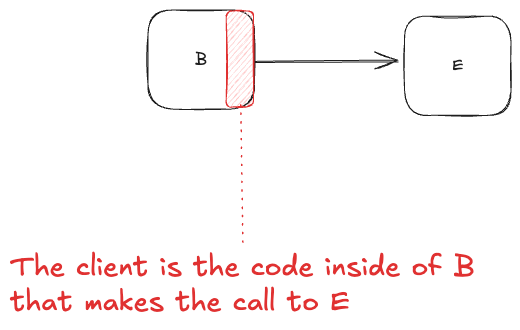
It could also refer to the code in the caller service that is responsible for making the request, typically packaged as a client library.

The fact that the meaning of these terms is ambiguous and context-dependent makes it harder to understand what someone is talking about when the term is used. While the person speaking knows exactly what sense of server, service or client they mean, the person hearing it does not.

The ambiguous meaning of these terms creates all sorts of problems, especially when communicating across different teams, where the meaning of a term used by the client team of a service may be different from the meaning of the term used by the owner of a service. I’m willing to bet that you, dear reader, have experienced this problem at some point in the past when reading an internal tech doc or trying to parse the meaning of a particular slack message.

As someone who is interested in incidents, I’m acutely aware of the problematic nature of ambiguous language during incidents, where communication and coordination play an enormous role in effective incident handling. But it’s not just an issue for incident handling. For example, Eric Evans advocates the use of ubiquitous language in software design. He pushes for consistent use of terms across different stakeholders to reduce misunderstandings.

In principle, we could all just decide to use more precise terminology. This would make it easier for listeners to understand the intent of speakers, and would reduce the likelihood of problems that stem from misunderstandings. At some level, this is the role that technical jargon plays. But client, server and service are technical jargon, and they’re still ambiguous. So, why don’t we just use even more precise language?

The problem is that expressing ourselves in unambiguous isn’t free: it costs the speaker additional effort to be more precise. As a trivial example, microservice is more precise than service, but it takes twice as long as to say, and it takes an additional five letters to write. Those extra syllables and letters are a cost to the speaker. And, all other things being equal, people prefer expending less effort than more effort. This is why we don’t like being on the receiving end of ambiguous language, because we have to put more effort into resolving the ambiguity through context clues.

The cost of precision to the speaker is clear in the world of computer programming. Traditional programming languages require an extremely high degree of precision on behalf of the coder. This sets a very high bar for being able to write programs. On the other hand, modern generative AI tools are able to take natural language inputs as specifications which are orders of magnitude less precise, and turn them into programs. These tools are able to process ambiguous inputs in ways that regular programming languages simply cannot. The cost in effort is much lower for the vibe programmer. (I will leave evaluation of the outcomes of vibe programming as an exercise for the reader).

Ultimately, the degree in precision in communication is a tradeoff: an increase in precision means less effort for the listener and less risk of misunderstanding, at a cost of more effort for the speaker. Because of this tradeoff, we shouldn’t expect the equilibrium point to be at maximal precision. Instead, it’s somewhere in the middle. Ideally, it would be where we minimize the total effort. Now, I’m not a cognitive scientist, but this is a theory that has been advanced by cognitive scientists. For example, see the paper The communicative function of ambiguity in language by Steven T. Piantadosi, Harry Tily, and Edward Gibson. I touched on the topic of ambiguity more generally in a previous post the high cost of low ambiguity.

We often ask “why are people doing X instead of the obviously superior Y“. This is an example of how we are likely missing the additional costs of choosing to do Y over X. Just because we don’t notice those costs doesn’t mean they aren’t there. It means we aren’t looking closely enough.

The carefulness knob

A play in one act

Dramatis personae

  • EM, an engineering manager
  • TL, the tech lead for the team
  • X, an engineering manager from a different team

Scene 1: A meeting room in an office. The walls are adorned with whiteboards with boxes and arrows.

EM: So, do you think the team will be able to finish all of these features by end of the Q2?

TL: Well, it might be a bit tight, but I think it should be possible, depending on where we set the carefulness knob.

EM: What’s the carefulness knob?

TL: You know, the carefulness knob! This thing.

TL leans over and picks a small box off of the floor and places it on the table. The box has a knob on it with numerical markings.

EM: I’ve never seen that before. I have no idea what it is.

TL: As the team does development, we have to make decisions about how much effort to spend on testing, how closely to hew to explicitly documented processes, that sort of thing.

EM: Wait, aren’t you, like, careful all of the time? You’re responsible professionals, aren’t you?

TL: Well, we try our best to allocate our effort based on what we estimate the risk to be. I mean, we’re a lot more careful when we do a database migration than we do when we fix a typo in the readme file!

EM: So… um… how good are you at actually estimating risk? Wasn’t that incident that happened a few weeks ago related to a change that was considered a low risk at the time?

TL: I mean, we’re pretty good. But we’re definitely not perfect. It certainly happens that we misjudge the risk sometimes. I mean, in some sense, isn’t every incident in some sense a misjudgment of risk? How many times do we really say, “Hoo boy, this thing I’m doing is really risky, we’re probably going to have an incident!” Not many.

EM: OK, so let’s turn that carefulness knob up to the max, to make sure that the team is careful as possible. I don’t want any incidents!

LM: Sounds good to me! Of course, this means that we almost certainly won’t have these features done by the end of Q2, but I’m sure that the team will be happy to hear…

EM: What, why???

TL picks up a marker off of the table and walks up to the whiteboard. She draws an x axis and y-axis. She labels the x-axis “carefulness” and the y-axis “estimated completion time”.

TL: Here’s our starting point: the carefulness knob is currently set at 5, and we can properly hit end of Q2 if we keep it at this setting.

EM: What happens if we turn up the knob?

TL draws an exponential curve.

EM: Woah! That’s no good. Wait, if we turn the carefulness knob down, does that mean that we can go even faster?

TL: If we did that, we’d just be YOLO’ing our changes, not doing validation. Which means we’d increase the probability of incidents significantly, which end up taking a lot of time to deal with. I don’t think we’d actually end up delivering any faster if we chose to be less careful than we normally are.

EM: But won’t we also have more incidents at a carefulness setting of 5 than at higher carefulness settings?

TL: Yes, there’s definitely more of a risk that a change that we incorrectly assess as low risk ends up biting us at our default carefulness level. It’s a tradeoff we have to make.

EM: OK, let’s just leave the carefulness knob at the default setting.


Scene 2: An incident review meeting, two and a half months later.

X: We need to be more careful when we make these sorts of changes in the future!

Fin


Coda

It’s easy to forget that there is a fundamental tradeoff between how careful we can be and how much time it will take us to perform a task. This is known as the efficiency-thoroughness trade-off, or ETTO principle.

You’ve probably hit a situation where it’s particularly difficult to automate the test for something, and doing the manual testing is time-intensive, and you developed the feature and tested it, but then there was a small issue that you needed to resolve, and then do you go through all of the manual testing again? We make these sort of time tradeoffs in the small, they’re individual decisions, but they add up, and we’re always under schedule pressure to deliver.

As a result, we try our best to adapt to the perceived level of risk in our work. The Human and Organizational Performance folks are fond of the visual image of the black line versus the blue line to depict the difference between how the work is supposed to be done with how workers adapt to get their work done.

But sometimes these adaptations fail. And when this happens, inevitably someone says “we need to be more careful”. But imagine if you explicitly asked that person at the beginning of a project about where they wanted to set that carefulness knob, and they had to accept that increasing the setting would increase the schedule significantly. If an incident happened, you could then say to them, “well, clearly you set the carefulness knob too low at the beginning of this project”. Nobody wants to explicitly make the tradeoff between less careful and having a time estimate that’s seen as excessive. And so the tradeoff gets made implicitly. We adapt as best we can to the risk. And we do a pretty good job at that… most of the time.

Safety first!

I’m sure you’ve heard the slogan “safety first”. It is a statement of values for an organization, but let’s think about how to define what it should mean explicitly. Here’s how I propose to define safety first, in the context of a company. I’ll assume the company is in the tech (software) industry, since that’s the one I know best. So, in this context, you can think of “safety” as being about avoiding system outages, rather than about, say, avoiding injuries on a work site.

Here we go:


A tech company is a safety first company if any engineer has the ability to extend a project deadline, provided that the engineer judges in the moment that they need additional time in order to accomplish the work more safely (e.g., by following an onerous procedure for making a change, or doing additional validation work that is particular time-intensive).

This ability to extend the deadline must be:

  1. automatic
  2. unquestioned
  3. consequence-free

Automatic. The engineer does not to explicitly ask someone else for permission before extending the deadline.

Unquestioned. Nobody is permitted to ask the engineer “why did you extend the deadline?” after-the-fact.

Consequence-free. This action cannot be held against the engineer. For example, it cannot be a factor in a performance review.


Now, anyone who has worked in management would say to me, “Lorin, this is ridiculous. If you give people the ability to extend deadlines without consequence, then they’re just going to use this constantly, even if there isn’t any benefit to safety. It’s going to drastically harm the organization’s ability to actually get anything done”.

And, the truth is, they’re absolutely right. We all work under deadlines, and we all know that if there was a magical “extend deadline” button that anyone could press, that button would be pressed a lot, and not always for the purpose of improving safety. Organizations need to execute, and if anybody could introduce delays, this would cripple execution.

But this response is exactly the reason why safety first will always be a lie. Production pressure is an unavoidable reality for all organizations. Because of this, the system will always push back against delays, and that includes delays for the benefit of safety. This means engineers will always face double binds, where they will feel pressure to execute on schedule, but will be punished if they make decisions that facilitate execution but reduce safety.

Safety is never first in organization: it’s always one of a number of factors that trade off against each other. And those sorts of tradeoff decisions happen day-to-day and moment-to-moment.

Remember that the next time someone is criticized for “not being careful enough” after a change brings down production.

When there’s no gemba to go to

I’m finally trying to read through some Toyota-related books to get a better understanding of the lean movement. Not too long ago, I read Sheigo Shingo’s Non-Stock Production: The Shingo System of Continuous Improvement, and sitting on my bookshelf for a future read is James Womack, Daniel Jones, and Daniels Roos’s The Machine That Changed the World: The Story of Lean Production.

The Toyota-themed book I’m currently reading is Mike Rother’s Toyota Kata: Managing People for Improvement, Adaptiveness and Superior Results. Rother often uses the phrase “go and see”, as in “go to the shop floor and observe how the work is actually being done”. I’ve often heard lean advocates use a similar phrase: go the gemba, although Rother himself doesn’t use it in his book. There’s a good overview at the Lean Enterprise Institute’s web page for gemba:

Gemba (現場) is the Japanese term for “actual place,” often used for the shop floor or any place where value-creating work actually occurs. It is also spelled genba. Lean Thinkers use it to mean the place where value is created. Japanese companies often supplement gemba with the related term “genchi gembutsu” — essentially “go and see” — to stress the importance of empiricism.

The idea of focusing on understanding work-as-done is a good one. Unfortunately, in software development in particular, and knowledge work in general, the place that the work gets done is distributed: it happens wherever the employees are sitting in front of their computers. There’s no single place, no shop floor, no gemba that you can go to in order to go and see the work being done.

Now, you can observe the effects of the work, whether it’s artifacts generated (pull requests, docs), or communication (slack messages, emails). And you can talk to people about the work that they do. But, it’s not like going to the shop floor. There is no shop floor.

And it’s precisely because we can’t go to the gemba that incident analysis can bring so much value, because it allows you to essentially conduct a miniature research project to try to achieve the same goal. You get granted some time (a scarce resource!) to reconstruct what happened, by talking to people and looking at those work products generated over time. If we’re good at this, and we’re lucky, we can get a window into how the real work happens.

Making peace with the imperfect nature of mental models

We all carry with us in our heads models about how the world works, which we colloquially refer to as mental models. These models are always incomplete, often stale, and sometimes they’re just plain wrong.

For those of us doing operations work, our mental models include our understanding of how the different parts of the system work. Incorrect mental models are always a factor in incidents: incidents are always surprises, and surprises are always discrepancies between our mental models and reality.

There are two things that are important to remember. First, our mental models are usually good enough for us to do our operations work effectively. Our human brains are actually surprisingly good at enabling us to do this stuff. Second, while a stale mental model is a serious risk, none of us have the time to constantly verify that all of our mental models are up to date. This is the equivalent of popping up an “are you sure?” modal dialog box before taking any action. (“Are you sure that pipeline that always deploys to the test environment still deploys to test first?”)

Instead, because our time and attention is limited, we have to get good at identifying cues to indicate that our models have gotten stale or are incorrect. But, since we won’t always get these cues, it’s inevitable that our mental models will go out of date. But that’s just an inevitable part of the job when you work in a dynamic environment. And we all work in dynamic environments.

Incident categories I’d like to see

If you’re categorizing your incidents by cause, here are some options for causes that I’d love to see used. These are all taken directly from the field of cognitive systems engineering research.

Production pressure

All of us are so often working near saturation: we have more work to do than time to do it. As a consequence, we experience pressure to get that work done, and the pressure affects how we do our work and the decisions we make. Multi-tasking is a good example of a symptom of production pressure.

Ask yourself “for the people whose actions contributed to the incident, what was their personal workload like? How did it shape their actions?”

Goal conflicts

Often we’re trying to achieve multiple goals while doing our work. For example, you may have a goal to get some new feature out quickly (production pressure!), but you also have a goal to keep your system up and running as you make changes. This creates a goal conflict around how much time you should put into validation: the goal of delivering features quickly pushes you towards reducing validation time, and the goal of keeping the system up and running pushes you towards increasing validation time.

If someone asks “Why did you take action X when it clearly contravenes goal G?”, you should ask yourself “was there another important goal, G1, that this action was in support of?”

Workarounds

How do you feel about the quality of the software tools that you use in order to get your work done? (As an example: how are the deployment tools in your org?)

Often the tools that we use are inadequate in one way or another, and so we resort to workarounds: getting our work done in a way that works but is not the “right” way to do it (e.g., not how the tool was designed to be used, against the official process of how to do things). Using workarounds is often dangerous because the system wasn’t designed with that type of work in mind. But if the dangerous way of doing work is the only way that the work can get done, then you’re going to end up with people taking dangerous actions.

If an incident involves someone doing something they weren’t “supposed to”, you should ask yourself, “did they do it this way because they are working around some deficiency in the tools that have to use?”

Automation surprises

Software automation often behaves in ways that people don’t expect: we have incorrect mental models of why the system is doing what it is, often because the system isn’t designed in a way to make it easy for us to form good mental models of behavior. (As someone who works on a declarative deployment system, I acutely feel the pain we can inflict on our users in this area).

If someone took the “wrong” action when interacting with a software system in some way, ask yourself “what was their understanding of the state of the world at the time, and what was their understanding of what the result of that action would be? How did they form their understanding of the system behavior?”


Do you find this topic interesting? If so, I bet you’ll enjoy attending the upcoming Learning from Incidents Conference taking place on Feb 15-16, 2023 in Denver, CO.

Writing docs well: why should a software engineer care?

Recently I gave a guest lecture in a graduate level software engineering course on the value of technical writing for software engineers. This post is a sort of rough transcript of my talk.

I live-sketched my slides as I went.

I talked about three goals of doing doing technical writing.

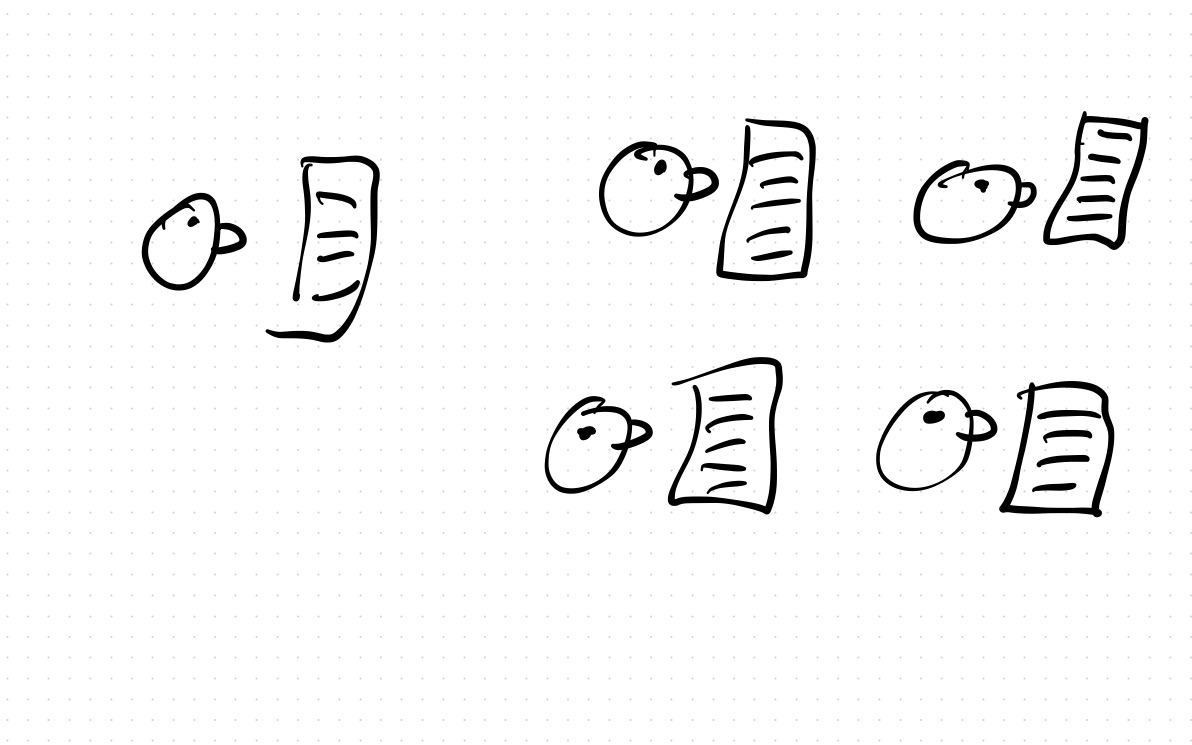
The first one is about building shared understanding among stakeholders of a document. One of the hardest problems in software engineering is getting multiple people to have a sufficient understanding of some technical aspect, like the actual problem being solved, or a proposed solution. This is ostensibly the only real goal of technical writings.

Shared understanding is related to the idea of common ground that you’ll sometimes hear the safety folks talk about.

If you’re a programmer who works completely alone, then this is a problem you generally don’t have to solve, because there’s only one person involved in the software project.

But as soon as you are working in a team, then you have to address the problem of shared understanding.

When we work on something technical, like software, we develop a much deeper understanding because we’re immersed in it. This can make communication hard when we’re talking to someone who hasn’t been working in the same area and so doesn’t have the same level of technical understanding of that particular bit.

If you’re working only with a small, co-located group (e.g., in a co-located startup), then having a discussion in front of a whiteboard is a very effective mechanism for building shared understanding. In this type of environment, writing effective technical docs is much less important.

The problem with the discuss-in-front-of-the-whiteboard approach is that it doesn’t scale up, and it also doesn’t work for distributed environments.

And this is where technical documents come in.

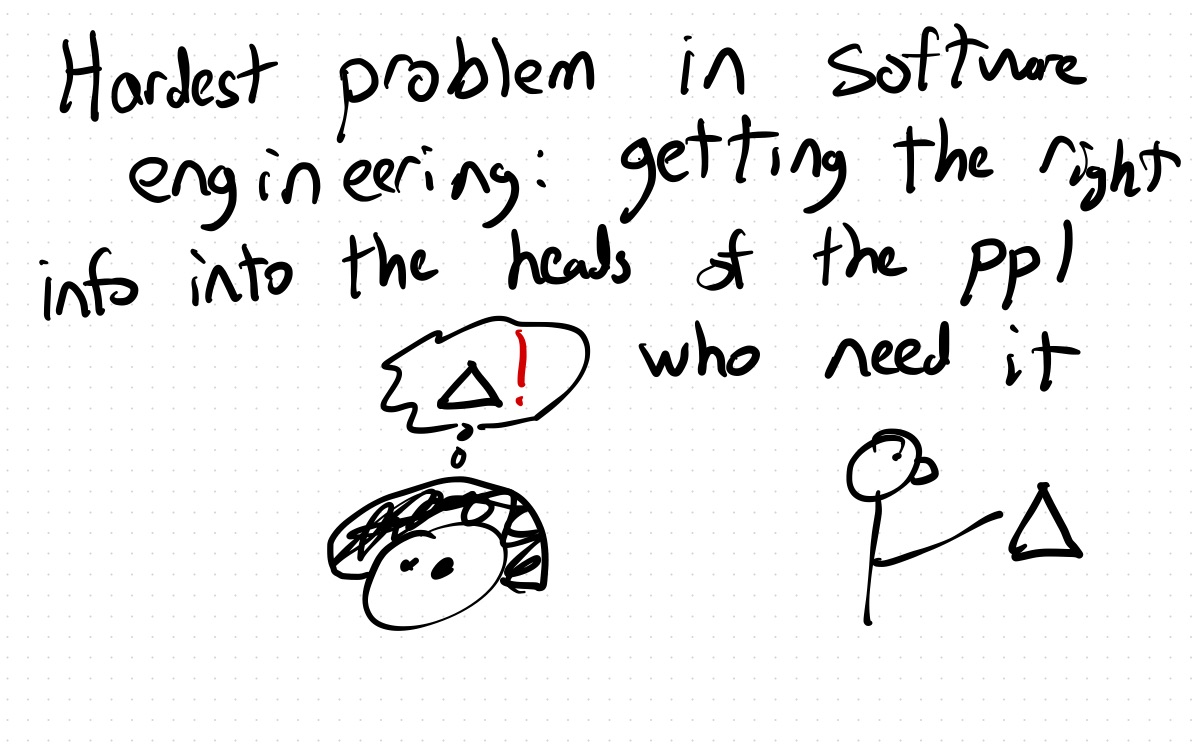
I like to say that the hardest problem in software engineering is getting the appropriate information into the heads of the people who need to have that information in order to do their work effectively.

In large organizations, a lot of the work is interconnected, which means that some work that somebody else is doing can affect your work. If you’re not aware of that, you can end up working at cross-purposes.

The challenge is that there’s so much potential information that might be useful. Everyone could potentially spend all of their working hours reading docs, and still not read everything that might be relevant.

To write a doc well means to get people to gain sufficient understanding so that you can coordinate work effectively.

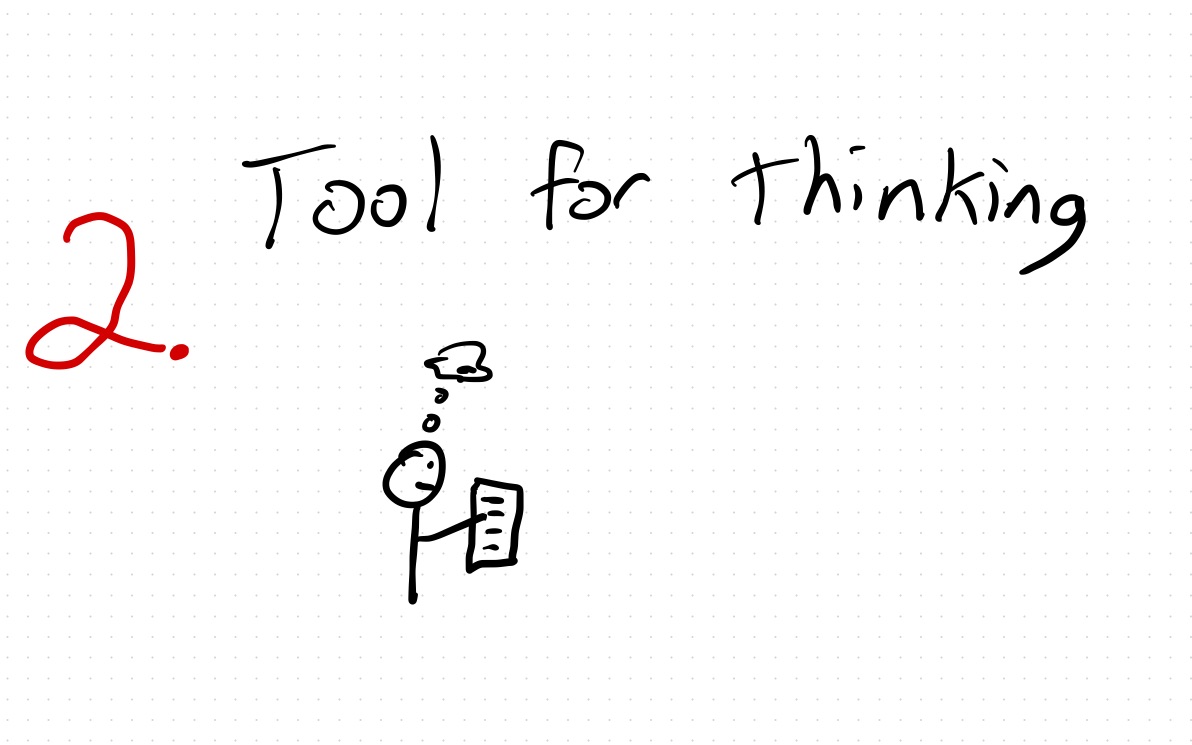
The second goal of writing I talked about was using writing to help with your own thinking.

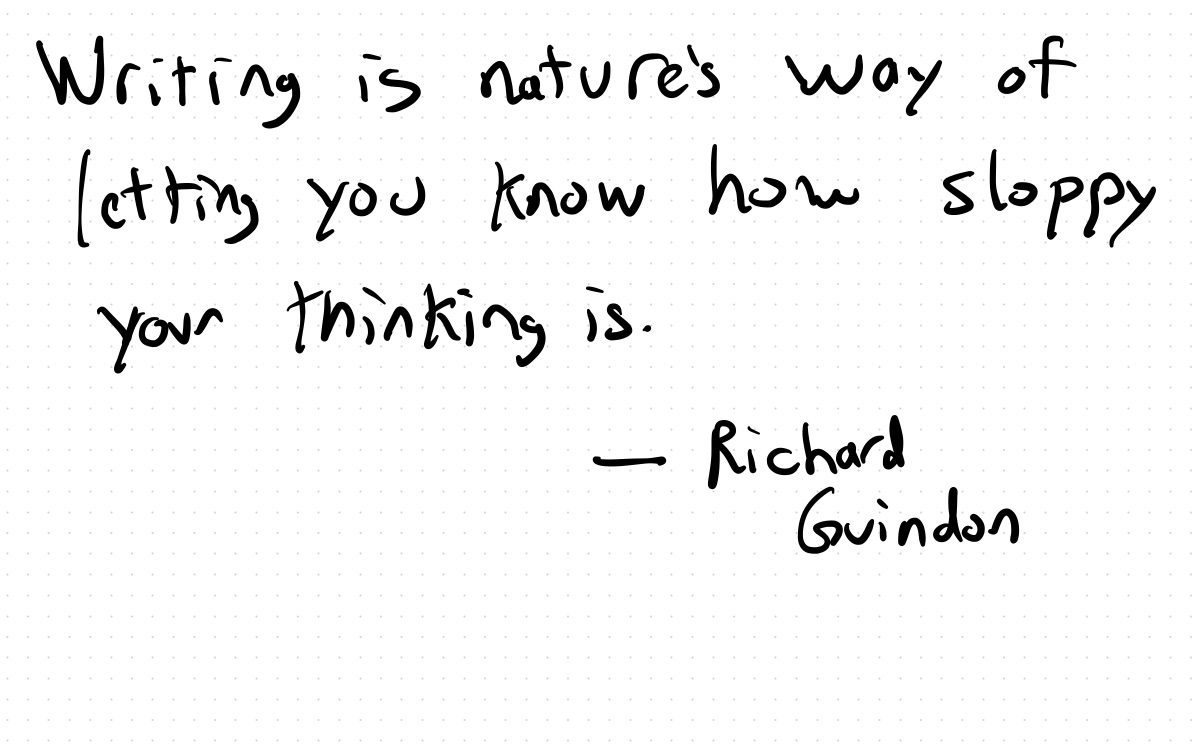
The cartoonist Richard Guindon has a famous quote: “writing is nature’s way of letting you know how sloppy your thinking is.” You might have an impression that you understand something well, but that sense of clarity is often an illusion, and when you go to explicitly capture your understanding in a document, you discover that you didn’t understand things as well as you thought. There’s nowhere to hide in your own document.

When writing technical docs, I always try hard to work explicitly through examples to demonstrate the concepts. This is one of the biggest weaknesses I see in practice in technical docs, that the author has not described a scenario from start to finish. Conceptually, you want your doc to have something like a storyboard that’s used in the film industry, to tell the story. Writing out a complete example will force you to confront the gaps in your understanding.

The third goal is a bit subversive: it’s how to use effective technical writing to have influence in a larger organization when you’re at the bottom of the hierarchy.

If you want influence, you likely have some sort of vision of where you want the broader organization to go, and the challenge is to persuade people of influence to move things closer to your vision.

Because senior leadership, like everyone else in the organization, only has a finite amount of time and attention, their view of reality are shaped by the interactions they do have: which is largely through meetings and documents. Effective technical documents shape the view of reality that leadership has, but only if they’re written well.

If you frame things right, you can make it seem as if your view is reality rather than simply your opinion. But this requires skill.

Software engineers often struggle to write effective docs. And that’s understandable, because writing effective technical docs is very difficult.

Anyone who has set down at a computer to write a doc and has stared at the blinking cursor at an empty doc knows how difficult it can be to just get started.

Even the best-written technical docs aren’t necessarily easy to read.

Poorly written docs are hard to read. However, just because a doc is hard to read, doesn’t mean it’s poorly written!

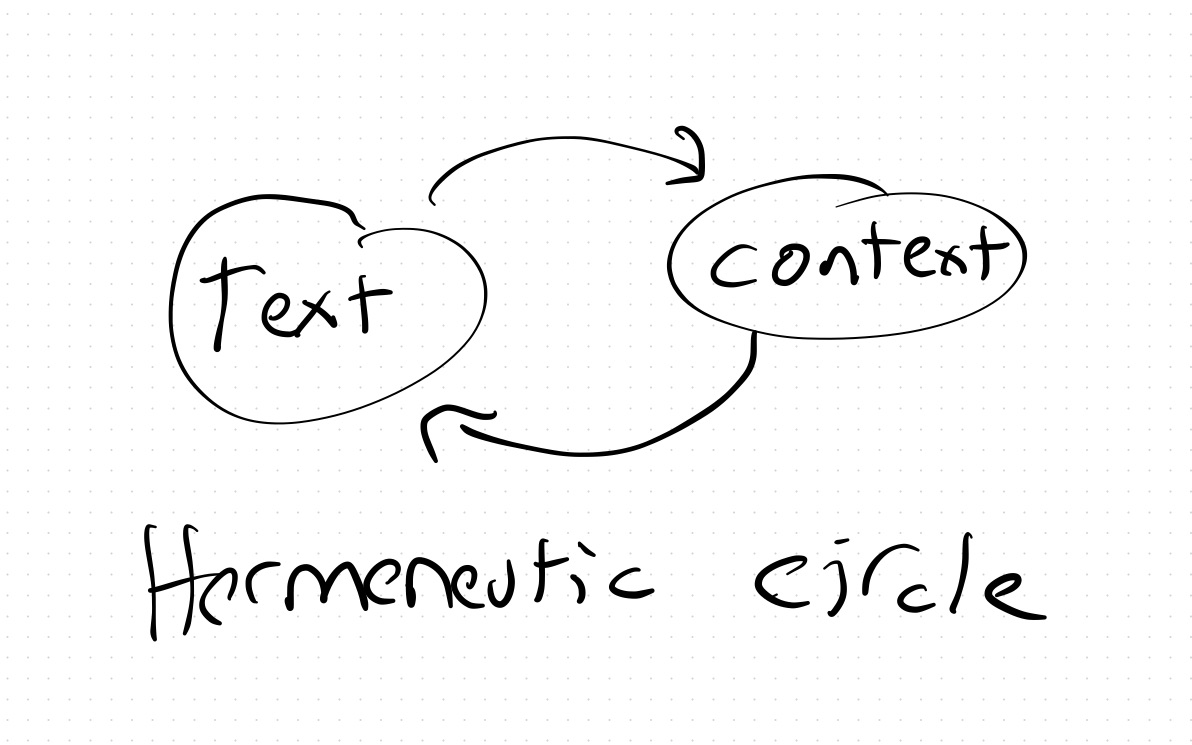
This talk is about technical writing, but technical reading is also a skill. Often, we can’t understand a paragraph in a technical document without having a good grasp of the surrounding context. But we also can’t understand the context without reading the individual paragraphs, not only of this document, but of other documents as well!

This means we often can’t understand a technical document by reading from beginning to end. We need to move back and forth between working to understand the text itself and working to understand the wider context. This pattern is known as the hermeneutic circle, and it is used in Biblical studies.

Finally, some pieces of advice on how to improve your technical writing.

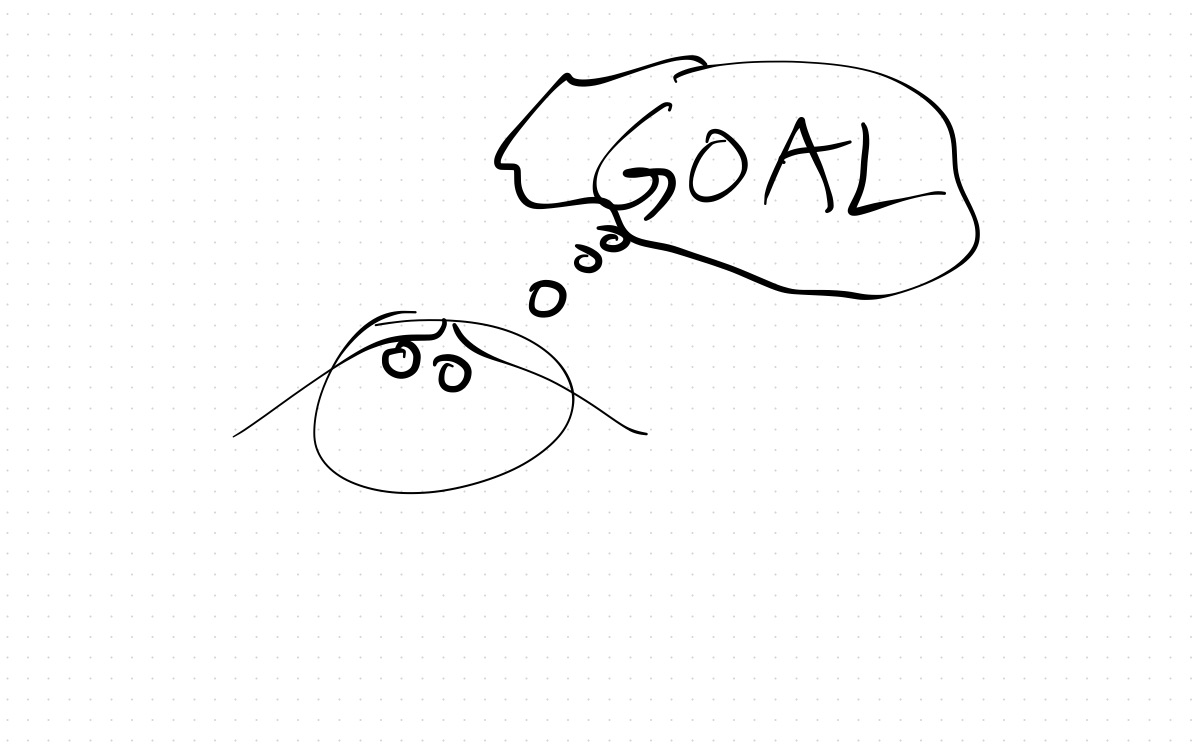
Know explicitly in advance what your goal is in doing the writing. Writing to improve your own understanding is different from writing to improve someone else’s understanding, or to persuade someone else.

Make sure your technical document has concrete examples. These are the hardest to write, but they are most likely to help achieve your goals in your document.

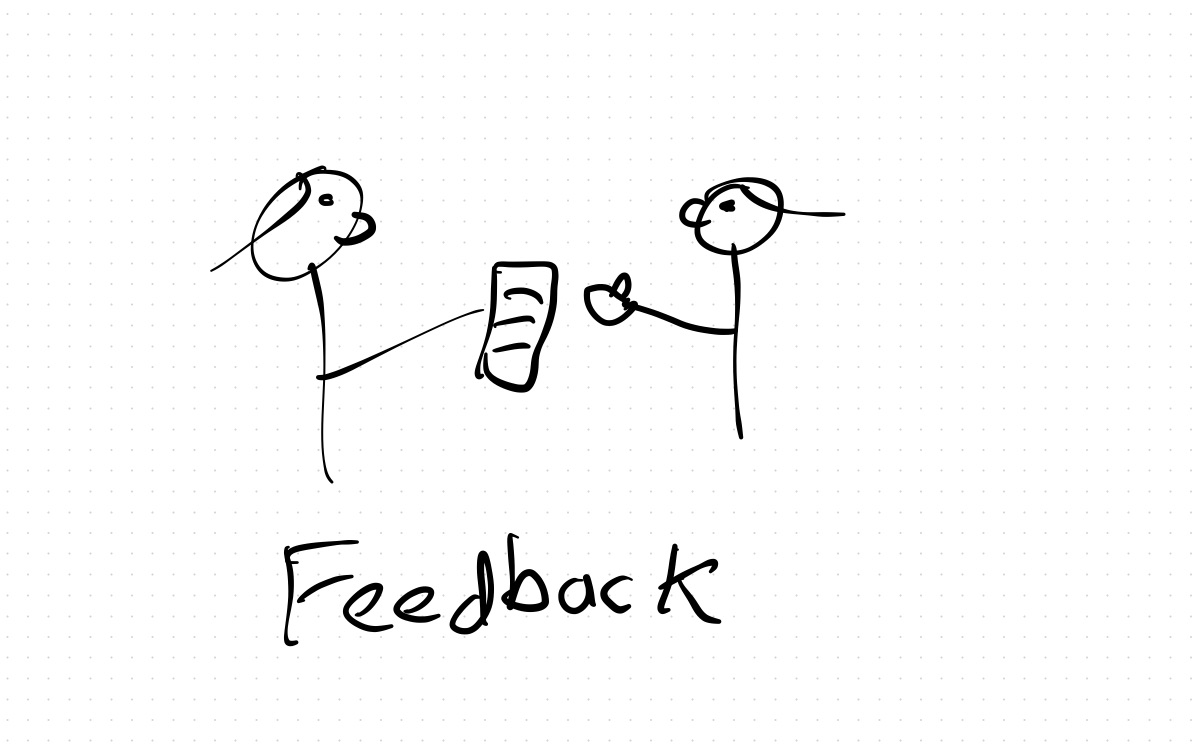
Get feedback on your drafts from people that you trust. Even the best writers in the world benefit from having good editors.

Bad Religion: A review of Work Pray Code

When I worked as a professor at the University of Nebraska—Lincoln, after being there for a few months, during a conversation with the chair of the computer science department he asked me “have you found a church community yet?” I had not. I had, however, found a synagogue. The choice wasn’t difficult: there were only two. Nobody asked me a question like that after I moved to San Jose, which describes itself as the heart of Silicon Valley.
Why is Silicon Valley so non-religious is the question that sociologist Carolyn Chen seeks to answer here. As a tenured faculty member at UC Berkeley, Chen is a Bay Area resident herself. Like so many of us here, she’s a transplant: she grew up in Pennsylvania and Southern California, and first moved to the area in 2013 to do research on Asian religions in secular spaces.
Chen soon changed the focus of her research from Asian religions to the work culture of tech companies. She observes that people tend to become less religious when they move to the area, and are less engaged in their local communities. Tech work is totalizing, absorbing employees entire lives. Tech companies care for many of the physical needs of their employees in a way that companies in other sectors do not. Tech companies provide meditation/mindfulness (the companies use these terms interchangeably) to help their employees stay productive, but it is a neutered version of the meditation of its religious, Buddhist roots. Tech companies push up the cost of living, and provide private substitutes for public infrastructure, like shuttle busses.

Chen tries to weave these threads together into a narrative about how work substitutes for religion in the lives of tech workers in Silicon Valley. But the pieces just don’t fit together. Instead, they feel shoehorned in to support her thesis. And that’s a shame, because, as a Silicon Valley tech worker, many of the observations themselves ring true to my personal experience. Unlike Nebraska, Silicon Valley really is a very secular place, so much so that it was a plot point in an episode of HBO’s Silicon Valley. As someone who sends my children to religious school, I’m clearly in the minority at work. My employer provides amenities like free meals and shuttles. They even provide meditation rooms, access to guided meditations provided by the Mental Health Employee Resource Group, and subscriptions to the Headspace meditation app. The sky-high cost of living in Silicon Valley is a real problem for the area.

But Chen isn’t able to make the case that her thesis is the best explanation for this grab bag of observations. And her ultimate conclusion, that tech companies behave more and more like cults, just doesn’t match my own experiences working at a large tech company in Silicon Valley.

Most frustratingly, Chen doesn’t ever seem to ask the question, “are there other domains where some of these observations also hold?” Because so much of the description of the secular and insular nature of Silicon Valley tech workers applies to academics, the culture that Chen herself is immersed in!

Take this excerpt from Chen:

Workplaces are like big and powerful magnets that attract the energy of individuals away from weaker magnets such as families, religious congregations, neighborhoods, and civic associations—institutions that we typically associate with “life” in the “work-life” binary. The magnets don’t “rob” or “extract”—words that we use to describe labor exploitation. Instead they attract the filings, monopolizing human energy by exerting an attractive rather than extractive force. By creating workplaces that meet all of life’s needs, tech companies attract the energy and devotion people would otherwise devote to other social institutions, ones that, traditionally and historically, have been sources of life fulfillment.

Work Pray Code, p197

Compare this to an excerpt from a very different book: Robert Sommer’s sardonic 1963 book Expertland (sadly, now out of print), which describes itself as “an unrestricted inside view of the world of scientists, professors, consultants, journals, and foundations, with particular attention to the quaint customs, distinctive dilemmas, and perilous prospects”.

Experts know very few real people. Except for several childhood friends or close relatives, the expert does not know anybody who drives a truck, runs a grocery store, or is vice-president of the local Chamber of Commerce. His only connection with these people is in some kind of service relationship; they are not his friends, colleagues, or associates. The expert feel completely out of place at Lion’s or Fish and Game meeting. If he is compelled to attend such gatherings, he immediately gravitates to any other citizen of Expertland who is present… He has no roots, no firm allegiances, and nothing to gain or lose in local elections… Because he doesn’t vote in local elections, join service clubs, or own the house he lives in, outsiders often feel that the expert is not a good citizen.

Expertland pp 2-3

Chen acknowledges that work is taking over the lives of all high-skilled professionals, not just tech workers. But I found work-life balance to be much worse in academia than at a Silicon Valley tech company! To borrow a phrase from the New Testament, And why beholdest thou the mote that is in thy brother’s eye, but considerest not the beam that is in thine own eye?

Software engineering in-the-large: the coordination challenge

Back when I was an engineering student, I wanted to know “How do the big companies develop software? How does it happen in the real world?”

Now that I work at a company that has to do large-scale software development, I understand better why it’s not something you can really teach effectively in a university setting. It’s not that companies doing large-scale software development are somehow better at writing software than companies that work on smaller-scale software projects. It’s that large-scale projects face challenges that small-scale projects don’t.

The biggest challenge at large-scale is coordination. My employer provides a single service, which means that, in theory, any project that anyone is working on inside of the company could potentially impact what anybody else is working on. In my specific case, I work on delivery tools, so we might be called upon to support some new delivery workflow.

You can take a top-down command-and-control style approach to the problem, by having the people at the top attempting to filter all of the information to just what they need, and them coordinating everyone hierarchically. However, this structure isn’t effective in dynamic environments: as the facts on the ground change, it takes too long for information to work its way up the hierarchy, adapt, and then change the orders downwards.

You can take a bottoms-up approach to the problem where you have a collection of teams that work autonomously. But the challenge there is getting them aligned. In theory, you hire people with good judgment, and provide them with the right context. But the problem is that there’s too much context! You can’t just firehose all of the available information to everyone, that doesn’t scale: everyone will spend all of their time reading docs. How do you get the information into the heads of the people that need it? becomes the grand challenge in this context.

It’s hard to convey the nature of this problem in a university classroom, if you’ve never worked in a setting like this before. The flurry of memos, planning documents, the misunderstandings, the sync meetings, the work towards alignment, the “One X” initiatives, these are all things that I had to experience viscerally, on a first-hand basis, to really get a sense of the nature of the problem.